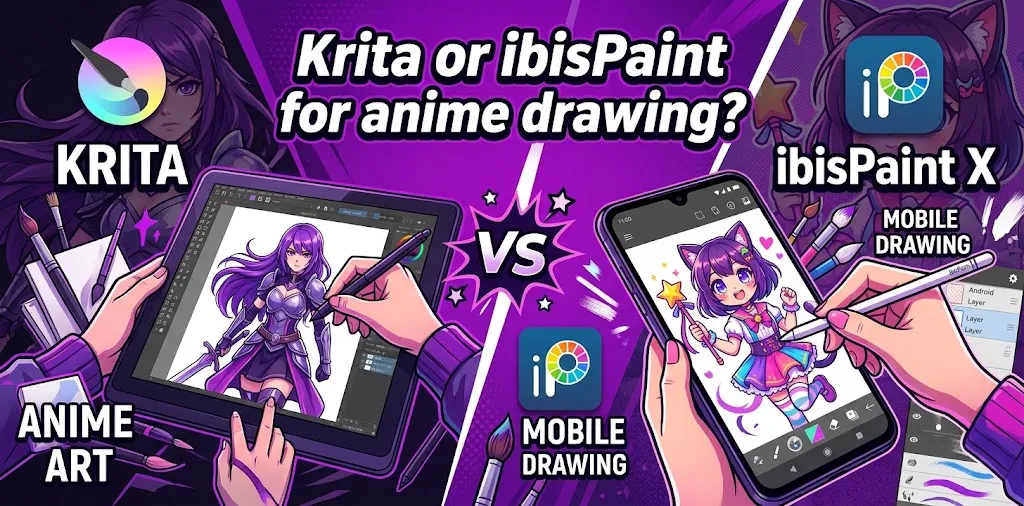
If you mainly want to draw anime characters, ibisPaint is often the easier starting point, especially on a phone or tablet. Its stabilizer, brush and material library, manga tools, layers, and touch-friendly interface make anime sketching and coloring convenient. Krita is the stronger choice for desktop artists who want advanced brushes, detailed layer control, drawing assistants, and animation tools.
The right choice depends less on which app has more features and more on how and where you want to draw.
If you are choosing between Krita and ibisPaint specifically for anime art, the biggest differences come down to device, workflow, ease of use, brush control, manga features, and how serious you want your digital art setup to become.
Krita vs ibisPaint at a Glance
| Category | Krita | ibisPaint |
|---|---|---|
| Best for | Desktop digital artists and detailed illustration | Beginners, mobile artists, and anime/manga drawing |
| Anime drawing | Excellent | Excellent |
| Beginner friendliness | Moderate | Very good |
| Brush selection | Large and customizable | Extremely large and varied |
| Line stabilization | Yes | Yes |
| Layers | Advanced | Strong and easy to use |
| Manga tools | Good | Excellent |
| Screen tones | Available | Strong manga-focused tools |
| Animation | Strong dedicated tools | Available, but not the main focus |
| Mobile use | Limited compared with ibisPaint | Excellent |
| Desktop use | Excellent | Good |
| Cost | Free website version | Free version with paid upgrades |
| Best overall for PC | Krita | ibisPaint |
| Best overall for phone/tablet | ibisPaint | ibisPaint |
Both programs are capable of producing polished anime artwork. The difference is mainly in the workflow each program encourages.
What Makes ibisPaint Good for Anime Drawing?
ibisPaint was built with illustration, manga, and mobile drawing in mind. It includes tools that are particularly useful for anime-style artwork, including stabilizers, layers, rulers, screen tones, filters, materials, and a large selection of brushes.
That does not mean you need thousands of brushes. In fact, a beginner can easily feel overwhelmed by having so many options.
The advantage is that you can quickly find tools for:
- Clean anime line art
- Hair and clothing details
- Soft shading
- Manga backgrounds
- Screen tones
- Effects
- Sketching
- Coloring
- Simple comics
- Character illustrations
ibisPaint’s Line Stabilizer Is a Major Advantage
Clean line art is one of the biggest challenges when learning anime drawing.
A shaky hand can make otherwise good character drawings look unfinished. ibisPaint includes a stabilizer designed to smooth strokes, which can be especially useful for long hair lines, facial outlines, clothing folds, and other clean anime-style contours.
For a beginner drawing on a phone or tablet, this can make the learning curve feel much easier.
Layers Are Easy to Use
Anime artwork often benefits from separating the sketch, line art, skin, hair, clothes, eyes, shadows, and background.
This makes it easier to correct mistakes without damaging the rest of the illustration.
For example, imagine you finish coloring an anime character and realize the hair should be darker. If the hair is on its own layer, you can adjust it without repainting the face or clothing.
What Makes Krita Good for Anime Drawing?
Krita is a more traditional desktop-focused digital painting application. It provides brushes, layers, stabilizers, drawing assistants, resource packs, and animation tools.
It is particularly attractive if you want to move beyond simple character drawings and build a more advanced digital art workflow.
Krita can work very well for:
- Anime character illustrations
- Manga pages
- Character design
- Background painting
- Detailed coloring
- Concept art
- Digital painting
- Line art
- 2D animation
Krita Gives You More Room to Grow
One of Krita’s biggest strengths is that it does not feel limited to quick mobile illustration.
Its layer system includes multiple layer types, while its drawing assistants can help with straight lines, ellipses, vanishing points, and perspective-related work.
That matters when your anime drawings become more complicated.
For example, a beginner might start with a simple head-and-shoulders character. Later, they may want to draw:
- Full-body characters
- Multiple characters interacting
- Rooms and buildings
- Perspective backgrounds
- Detailed environments
- Manga panels
- Animated scenes
Krita’s broader desktop workflow becomes more useful as these projects grow.
Which Has Better Brushes for Anime Art?
There is no simple winner because the two applications approach brushes differently.
ibisPaint emphasizes a huge selection of ready-to-use brushes and materials.
Krita, meanwhile, emphasizes customizable brushes and downloadable resources. This gives users considerable freedom to build their own brush collection.
For anime drawing, both can handle the essentials:
- Pencil-style sketching
- Ink lines
- Hard-edge coloring
- Soft shading
- Airbrushing
- Texture
- Effects
The more important question is which brush interface feels better to you.
If you like quickly browsing a large collection of ready-made tools, ibisPaint may feel more convenient.
If you enjoy customizing brushes and building a personalized desktop workspace, Krita may be the better fit.
Which Is Easier for Anime Beginners?
ibisPaint generally has the easier starting point.
Its interface is designed around quick access to drawing tools, and its mobile-first experience makes it natural for someone who wants to open an app and start drawing.
Krita is powerful, but that power can make the interface feel more complicated at first.
A beginner opening Krita may see many tools and settings that they do not immediately need. That is not a flaw; it simply reflects the program’s broader purpose.
A useful way to think about it is:
ibisPaint helps you start drawing quickly. Krita gives you more room to build a sophisticated workflow.
If you have never used digital art software before and primarily want to practice anime faces, hair, eyes, and characters, ibisPaint may be less intimidating.
Which Is Better for Anime Line Art?
Both are strong choices, but ibisPaint has a particularly beginner-friendly advantage because of its stabilizer and mobile workflow.
Anime line art often depends on smooth, confident strokes rather than rough sketch-like marks. A stabilizer can help you practice those strokes while reducing unwanted wobble. ibisPaint also provides rulers and drawing tools for cleaner shapes and lines.
Krita also includes stabilizers and drawing assistants, so experienced artists should not view it as a weaker line-art program.
If your main goal is simply “I want clean anime line art on my tablet,” ibisPaint is an especially convenient option.
If your goal is “I want clean line art as part of a larger professional-style desktop workflow,” Krita makes more sense.
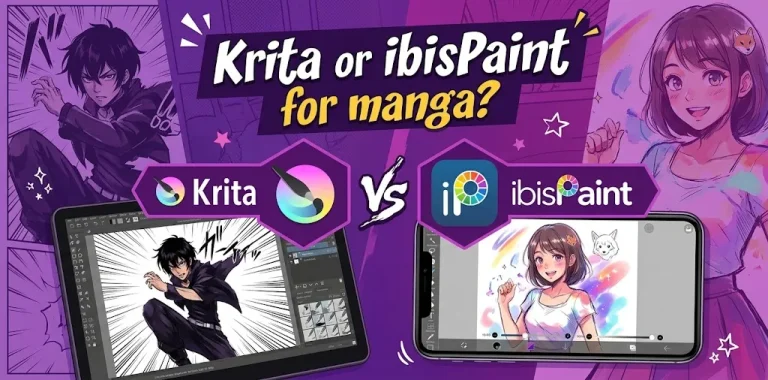
Which Is Better for Manga?
For quick manga-style creation, ibisPaint has several useful built-in features.
Its manga-oriented tools include screen tones, rulers, layers, materials, filters, and other features that can help with illustration and comic-style work.
Krita is also capable of manga and comic creation, especially when you want a larger desktop workspace and more control over the overall artwork.
The better choice depends on the project.
If you are creating a short manga page on an iPad or Android tablet, ibisPaint can be very convenient.
If you are working on larger comic projects on a computer and want more advanced painting and organizational tools, Krita may be the better long-term choice.
Which Is Better for Anime Coloring?
For basic anime coloring, both programs are more than capable.
A common anime coloring workflow looks something like this:
- Create a rough sketch.
- Lower the sketch opacity.
- Draw clean line art on another layer.
- Create separate layers for flat colors.
- Add shadows and highlights.
- Adjust colors and effects.
- Export the finished illustration.
ibisPaint’s layer system is well suited to this workflow. Krita can handle it as well, while giving you more advanced options as your artwork becomes more complex.
The bigger difference is the workspace.
ibisPaint feels optimized for direct illustration. Krita feels optimized for a broader digital painting workflow.
What About Animation?
If you want to turn your anime drawings into actual 2D animation, Krita has the stronger dedicated animation workflow.
Krita provides an animation workspace with a timeline, onion skinning, playback controls, frame management, audio support, and video or still-image export.
That makes it a better choice if animation is an important part of your goal.
ibisPaint also supports animation-related functions, but its main appeal for most users is still illustration and manga-style drawing rather than serving as a full animation-focused application.
If you are learning anime art because you eventually want to animate your own characters, Krita deserves serious consideration.
Krita vs ibisPaint for Different Devices
Your device may be the easiest way to decide.
If You Draw on an iPad
ibisPaint is usually the more natural choice for beginners.
It is designed to work on iPad and other mobile devices, and its touch-oriented workflow fits a tablet well.
Krita can also be used on some tablet platforms, but its strongest experience remains associated with desktop-style workflows.
If You Draw on Android
ibisPaint is the safer choice for a straightforward Android drawing experience.
Krita’s Android support is more limited and focused on tablets rather than phones, so ibisPaint is much more practical if your main drawing device is an Android phone.
If You Draw on Windows or Mac
Krita becomes much more attractive.
It is built around a desktop digital-art workflow, with extensive brush controls, layers, assistants, resources, and animation features.
ibisPaint also supports Windows and Mac, so desktop users are not limited to Krita.
Still, if you are buying a drawing tablet for a PC and want a serious illustration application, Krita is a particularly strong starting point.
Which Is Better if You Are Completely New to Digital Art?
If you are completely new, start with ibisPaint if you already own a phone or tablet.
You can learn the core digital-art skills without buying an expensive setup:
- Brush control
- Line confidence
- Layers
- Coloring
- Shading
- Selection tools
- Basic blending
- Anime proportions
You do not need advanced software to learn these fundamentals.
If you later discover that you want more advanced painting, perspective, animation, or desktop-based workflows, moving to Krita is a reasonable next step.
On the other hand, if you already have a Windows PC or Mac and a drawing tablet, starting with Krita can save you from switching programs later.
What About Cost?
Cost is another important difference.
Krita’s website version is free to download and use. Paid versions are also available through some stores, but the core application is available at no cost from the official website.
ibisPaint uses a freemium model. Its mobile versions have a free option with paid upgrades, while its desktop versions also offer free and premium options.
Because prices can change, check the current price shown for your specific device before purchasing.
For someone on a tight budget, Krita’s free desktop version is a major advantage.
Two Real-World Choices
Example 1: A Beginner Drawing Anime on an iPad
Suppose you are 15 or 16 and want to draw anime characters after school. You already have an iPad and want to practice faces, eyes, hair, and simple coloring.
In this situation, ibisPaint is probably the better first choice.
You can focus on drawing rather than learning a complicated desktop-style interface.
Example 2: An Artist Using a Drawing Tablet on a PC
Now imagine you have a Windows PC and a pressure-sensitive drawing tablet. You want to create detailed anime characters, learn backgrounds, experiment with perspective, and eventually try 2D animation.
In this situation, Krita is probably the better long-term choice.
Its desktop-oriented tools and animation features give you more room to expand your workflow.
So, Which One Should You Choose?
| If your priority is… | Better choice |
|---|---|
| Drawing anime on a phone | ibisPaint |
| Drawing anime on an iPad | ibisPaint |
| Drawing anime on Android | ibisPaint |
| Easy beginner experience | ibisPaint |
| Large ready-made brush/material library | ibisPaint |
| Manga screen tones and mobile manga tools | ibisPaint |
| Drawing on a Windows PC | Krita |
| Drawing on a Mac | Krita |
| Advanced desktop illustration | Krita |
| Perspective and drawing assistants | Krita |
| Custom brush workflow | Krita |
| 2D animation | Krita |
| Free desktop software | Krita |
The Bottom Line
For the question “Krita or ibisPaint for anime drawing?”, there is no universal winner.
Choose ibisPaint if you want the easiest path to anime drawing on a phone or tablet. Its stabilizer, layers, brushes, materials, manga features, and touch-friendly workflow make it especially approachable for beginners.
Choose Krita if you draw mainly on a computer and want a more advanced digital-art environment with strong brush customization, layers, drawing assistants, and animation tools.
If you are unsure, use the device you already own as the deciding factor. Tablet or phone: start with ibisPaint. PC or Mac with a drawing tablet: start with Krita.
Frequently Asked Questions
Is Krita or ibisPaint better for anime beginners?
ibisPaint is usually easier for beginners, particularly on phones and tablets. Krita can take longer to learn, but its broader desktop tools make it a strong choice for beginners who already plan to work on a computer.
Can you make professional anime art in ibisPaint?
Yes. ibisPaint provides extensive brushes, layers, stabilization, materials, filters, and other illustration tools that can support detailed anime and manga artwork. The final quality depends heavily on the artist’s drawing skills and workflow, not just the application.
Is Krita completely free?
The version downloaded from the Krita website is free, while versions distributed through some stores are paid. The paid store versions provide the same core application, making the free desktop version a strong option for artists on a budget.
Final Recommendation
If your goal is to start drawing anime, don’t spend too much time searching for the perfect app. Pick the one that fits your device and start practicing.
For a mobile or tablet artist, begin with ibisPaint. For a PC or Mac artist using a drawing tablet, Krita is the stronger all-around starting point.
The most useful next step is to spend a week learning one program’s basic tools—layers, stabilizer, brushes, selections, and coloring—rather than switching between apps. Your drawing practice will have a much bigger effect on your progress than the software you choose.