PicassoTab X11 Review: Quick Verdict
The PicassoTab X11 is an interesting option for artists, students, hobbyists, and beginners who want to draw digitally without connecting a drawing tablet to a separate computer.
Its biggest selling points are the 11-inch laminated 2K display, 4096 levels of pen pressure, 6GB of RAM, 128GB of storage, standalone operation, and bundled drawing software and accessories. The product listing shown for this model also advertises drawing applications, tutorials, a protective case, drawing glove, power adapter and other extras.
That makes the X11 quite different from traditional graphics tablets such as a Wacom Intuos or screen-based pen displays such as a Wacom Cintiq. Those products generally rely on another computer. The PicassoTab X11 is designed to function as a self-contained creative device.
However, there is an important distinction between “good value for beginners” and “the best professional drawing tablet.” The X11’s compact 11-inch screen and mid-range hardware make it more attractive for sketching, learning, travel and everyday illustration than for artists who need a large professional canvas or the highest-end stylus experience.
Our verdict: The PicassoTab X11 is worth considering if you want an affordable, portable, ready-to-use standalone drawing tablet. Professional artists with demanding workflows should compare it carefully with higher-end options from Wacom, XP-Pen, Huion, Samsung or Apple.
Affiliate disclosure: This article may contain affiliate links. If you purchase through one of our links, we may earn a commission at no additional cost to you. This helps support our website and allows us to continue publishing independent buying guides and drawing tutorials.
What Is the PicassoTab X11?
The PicassoTab X11 is a standalone drawing tablet, meaning you can use it for digital art without connecting it to a Windows or Mac computer.
This is one of the most important things to understand before buying it.
Traditional drawing tablets fall into several categories:
- Screenless pen tablets — you draw on a tablet while looking at your computer monitor.
- Pen displays — you draw directly on a screen, but the display normally connects to a computer.
- Standalone drawing tablets — the tablet contains its own processor, storage and operating system, so you can create without another computer.
The PicassoTab X11 belongs to the third category.
The product listing identifies it as an 11-inch standalone drawing tablet with a laminated 2K screen and a 4096-level pressure-sensitive pen. It also lists 6GB of RAM and 128GB of storage.
Independent artist testing has also highlighted the X11’s evolution over previous PicassoTab models, including increased RAM and storage, a higher-resolution laminated display, Android 13, an octa-core processor and a stylus rated at 4096 pressure levels.
PicassoTab X11 Specifications
Before getting into the real advantages and disadvantages, here’s a quick overview of the specifications advertised for the X11.
| Feature | PicassoTab X11 |
|---|---|
| Tablet type | Standalone drawing tablet |
| Screen size | 11 inches |
| Display | 2K laminated display |
| Stylus pressure | 4096 levels |
| RAM | 6GB |
| Storage | 128GB |
| Processor | Octa-core |
| Operating system | Android-based/custom graphics tablet OS depending on listing |
| Connectivity | Wi-Fi |
| Touch | Multi-touch |
| Cameras | Front and rear cameras listed |
| Stylus | Included |
| Palm rejection | Supported |
| Drawing apps | Included/pre-installed depending on package |
| Tutorials | Artixo tutorials advertised |
| Protective accessories | Included in advertised bundle |
| Computer required | No |
Important: Product specifications, included applications, accessories, operating-system details and pricing can change between versions or Amazon listings. Always verify the current seller’s specifications before purchasing.
1. 11-Inch Laminated 2K Display
The screen is arguably the most important component of a standalone drawing tablet.
The PicassoTab X11 uses an 11-inch laminated 2K display. Full lamination is particularly useful for drawing because it reduces the visual gap between the stylus tip and the image underneath it.
That matters because a large gap between the pen tip and display can make digital drawing feel less natural.
A laminated display can make strokes feel more directly connected to the pen, particularly when you’re working on detailed sketches.
The 11-inch size also strikes an interesting balance between portability and workspace.
It’s considerably easier to carry than a large 14- or 16-inch drawing device, but it still gives you a proper screen on which to sketch.
Is 11 inches large enough for drawing?
For:
- Sketching
- Character design
- Concept development
- Digital painting
- Note-taking
- Learning digital art
- Travel drawing
- Simple illustration
an 11-inch screen can work very well.
For large professional illustrations with dozens of panels, extensive timelines or complicated interfaces, however, the workspace can start feeling restrictive.
This is one of the biggest reasons I would categorize the PicassoTab X11 as a portable and beginner-friendly drawing tablet rather than a large professional workstation.
2. 4096 Levels of Pressure Sensitivity
The included stylus is advertised with 4096 levels of pressure sensitivity.
Pressure sensitivity allows the tablet to respond differently depending on how hard you press the pen.
For example:
Light pressure → thinner/lighter stroke
Medium pressure → normal stroke
Heavy pressure → thicker/darker stroke
This is particularly useful for:
- Sketching
- Line art
- Shading
- Digital painting
- Calligraphy
- Hair details
- Character illustration
However, don’t make the mistake of thinking that pressure-level numbers alone determine drawing quality.
A tablet with 8,192 pressure levels isn’t automatically twice as good as a tablet with 4,096.
The quality of the digitizer, pen calibration, pressure curve, software optimization and overall responsiveness are also important.
An independent review of the X11 found that while the pen specification is 4096 levels, very light pressure could be less responsive during fine line tests.
That is worth knowing if you’re an artist who relies heavily on extremely subtle pressure changes.
3. Standalone Operation Is the Biggest Advantage
This is probably the strongest reason to buy the PicassoTab X11.
You don’t need to put the tablet beside a desktop computer and connect multiple cables before you can draw.
You can simply pick it up and start creating.
Imagine you’re:
- Sitting on a train
- Traveling by airplane
- Sitting in a coffee shop
- Drawing outdoors
- Visiting a friend
- Working away from your studio
- Teaching an art class
A standalone tablet can be much more convenient than a traditional pen display.
This is also useful for beginners who don’t already own a powerful computer.
Instead of buying:
Computer + monitor + drawing tablet
you can start with a single self-contained device.
That doesn’t necessarily make it the most powerful setup, but it can make the initial learning process considerably simpler.
4. 6GB RAM and 128GB Storage
The X11 listing advertises 6GB RAM and 128GB storage.
For a beginner-focused standalone tablet, this is a useful configuration.
The 128GB storage gives you space for:
- Drawing applications
- Reference images
- Sketches
- Digital paintings
- Tutorials
- Photos
- Documents
- Other Android applications
You should still remember that advertised storage isn’t the same as usable storage.
The operating system and pre-installed applications occupy part of the internal storage.
The 6GB RAM configuration is also more suitable for everyday creative applications than an extremely low-memory tablet.
However, don’t buy the X11 expecting workstation-level performance.
A tablet like this is better suited to mobile creative work than demanding desktop workflows involving extremely large files, massive layer counts or complex professional production pipelines.
5. Drawing Apps and Tutorials
Another unusual selling point of the PicassoTab X11 is the software bundle.
The product listing promotes several drawing-related applications and tutorial resources, including Concepts and Artixo.
Independent testing of PicassoTab models has also identified applications such as Concepts, Infinite Painter, MediBang Paint and FlipaClip as part of the ecosystem or available drawing options.
This is especially valuable for beginners.
Buying a drawing tablet is only the beginning.
A new artist also has to learn:
- How layers work
- How brushes work
- How to use pressure sensitivity
- How to create selections
- How to use masks
- How to shade
- How to use color
- How to export artwork
Having tutorials included can reduce the learning curve.
That said, serious artists should investigate the exact app compatibility they need before purchasing.
If your entire workflow depends on a particular desktop application or plugin, a standalone Android-based drawing tablet may not provide the same experience as a Windows or macOS computer.
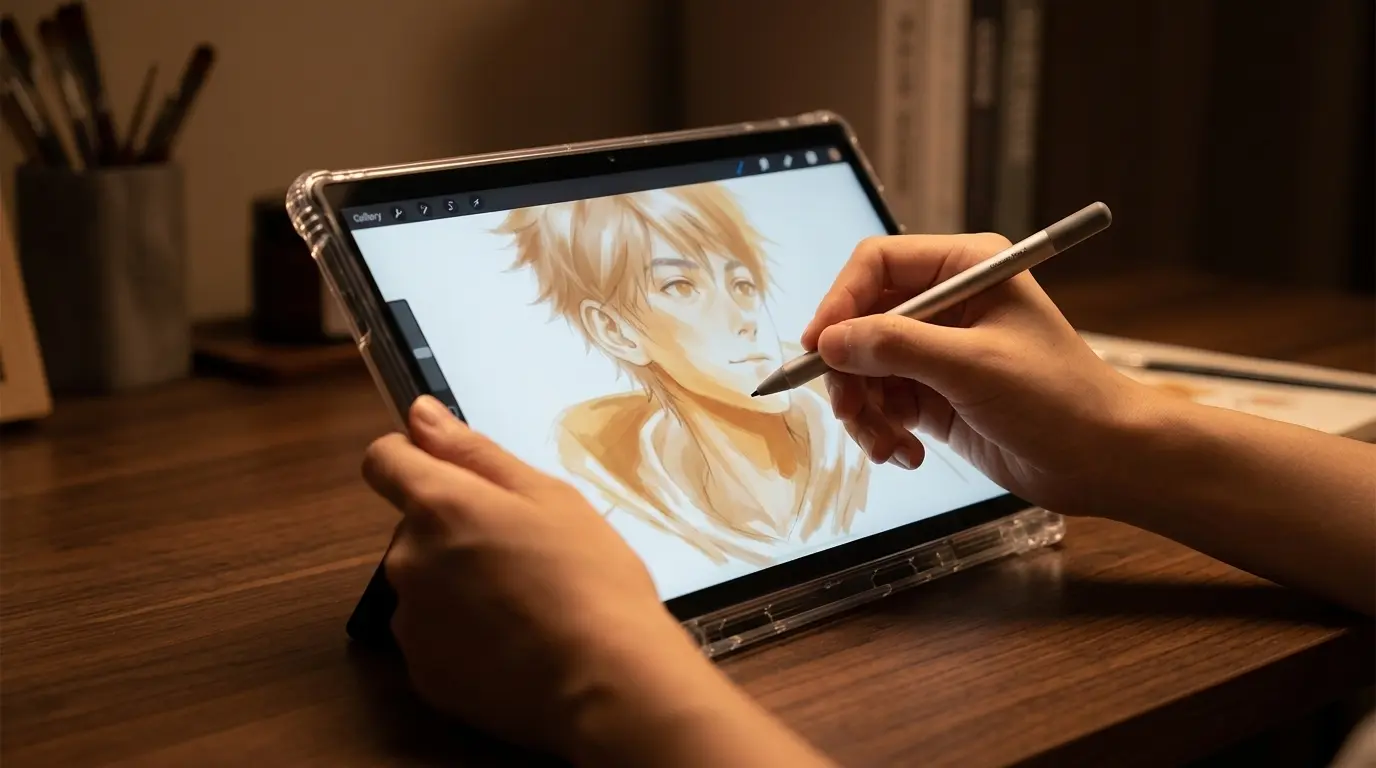
6. Portability
The compact size is another major advantage.
An 11-inch device can easily become a travel drawing tablet.
This makes the X11 particularly appealing to:
Students
You can carry it between home, school and university without needing a complete desktop setup.
Beginners
You can practice wherever you have free time.
Hobby artists
You don’t need a dedicated studio.
Travelers
You can sketch while traveling without packing a laptop and separate drawing tablet.
Art teachers
The device can be useful for demonstrations and portable lessons.
The trade-off is simple:
Smaller size = better portability
but also:
Smaller size = less drawing workspace.
PicassoTab X11 Pros and Cons
Pros
- Standalone operation
- No computer required
- 11-inch laminated display
- 2K resolution
- 4096 pressure-sensitive stylus
- 6GB RAM
- 128GB storage
- Portable design
- Drawing software included/advertised
- Tutorials included with the advertised bundle
- Accessories can add value
- Suitable for beginners and students
- Useful for travel sketching
Cons
- 11 inches may feel small for professional artwork
- 4096 pressure levels aren’t class-leading
- Performance is not aimed at workstation-level workloads
- Stylus experience may not satisfy every professional artist
- Android/mobile applications don’t always match desktop software
- Accessory and software bundles can vary
- Some independent testing has reported issues with very light pen input and touch/pen behavior
- Long-term professional reliability is harder to compare with established premium brands
PicassoTab X11 vs Traditional Drawing Tablets
One of the biggest mistakes beginners make is comparing every drawing tablet as though they are the same type of product.
They aren’t.
Consider this:
| Type | Computer Required | Draw on Screen | Portability | Best For |
|---|---|---|---|---|
| Screenless graphics tablet | Yes | No | Excellent | Beginners & desktop artists |
| Pen display | Usually yes | Yes | Moderate | Serious digital artists |
| PicassoTab X11 | No | Yes | Excellent | Beginners, students, travel |
| iPad + Apple Pencil | No | Yes | Excellent | Artists wanting premium ecosystem |
| Android tablet + stylus | No | Yes | Excellent | General creative work |
| Professional standalone art tablet | No | Yes | Good | Professional mobile artists |
The X11’s biggest advantage is therefore not simply its specifications.
It’s the combination of screen + pen + computer-free operation + bundled accessories + relatively accessible price positioning.
PicassoTab X11 vs More Expensive Drawing Tablets
If you’re a serious artist, you should also consider alternatives.
Current standalone drawing-tablet roundups increasingly include devices from Wacom, XP-Pen, Samsung, Huion and Apple. Premium models generally offer stronger displays, stylus systems, software ecosystems or overall hardware performance, but they can cost considerably more.
Comparison at a glance
| Feature | PicassoTab X11 | Premium Standalone Tablet | Pen Display |
|---|---|---|---|
| Computer needed | No | No | Usually yes |
| Screen | 11″ | Often larger | 13–24″+ |
| Portability | Excellent | Excellent/Good | Moderate |
| Pressure sensitivity | 4096 levels | Often higher | Often higher |
| Beginner friendly | Excellent | Good | Good |
| Professional workflow | Limited | Excellent on suitable models | Excellent |
| Accessories | Strong bundle | Depends on model | Often limited |
| Software ecosystem | Android-focused | Android/iPadOS/etc. | Windows/macOS |
| Price | Lower | Higher | Wide range |
The right choice depends heavily on what you actually draw.
Who Should Buy the PicassoTab X11?
1. Beginners Learning Digital Art
This is arguably the X11’s strongest audience.
If you’ve never used a graphics tablet before, you don’t necessarily need an expensive professional setup.
The X11 provides a screen, stylus, apps and tutorials in one package.
That makes the learning process less intimidating.
2. Students
Students can benefit from its portability and standalone design.
Instead of carrying a laptop plus graphics tablet, you can potentially carry one device.
It’s also useful for digital notes, presentations, reference material and general tablet use.
3. Hobby Artists
If you draw for fun rather than professionally, spending hundreds or thousands of dollars on a premium setup may not make sense.
The X11 provides the core experience without requiring a full workstation.
4. Traveling Artists
For artists who frequently sketch away from home, portability can be more important than maximum performance.
The 11-inch format is much easier to travel with than a large pen display.
Who Should NOT Buy the PicassoTab X11?
The X11 isn’t necessarily the right choice for everyone.
You may want something more powerful if you’re a:
Professional illustrator
If digital illustration is your full-time job, consider a premium standalone tablet or professional pen display.
Animator working with complex projects
Large timelines and complex animation projects can benefit from a larger display and stronger hardware.
Photoshop-heavy professional
If your workflow depends on the full desktop version of Photoshop, a computer-based setup may be more appropriate.
Artist who wants a huge canvas
An 11-inch display is compact. If you regularly work on large illustrations, a 13-, 16-, 22- or 24-inch display may be more comfortable.
Is the PicassoTab X11 Good for Beginners?
Yes — with some qualifications.
The X11 makes sense for beginners because it combines several things that would otherwise need to be purchased separately.
You get:
- A screen
- Stylus
- Drawing applications
- Tutorials
- Storage
- RAM
- Standalone operation
- Accessories
The result is a relatively straightforward entry point into digital art.
For someone who has never owned a drawing tablet, that’s a meaningful advantage.
The bigger question is whether you’ll eventually outgrow it.
If you become a professional artist and start creating enormous layered projects, you may eventually want a larger screen, more powerful hardware or a desktop-based workflow.
But that’s not necessarily a problem.
Your first drawing tablet doesn’t have to be your final drawing tablet.
Is the PicassoTab X11 Good for Digital Painting?
For casual and intermediate digital painting, the hardware specifications are promising.
The laminated 2K display should provide a reasonably detailed canvas, while the pressure-sensitive stylus allows artists to control brush size and opacity in supported applications.
The biggest limitation is likely to be workspace.
An 11-inch screen can become crowded when you have:
- Layers panel
- Brush settings
- Color picker
- Toolbar
- Reference image
- Canvas
all visible simultaneously.
For simple paintings, portraits, concept sketches and illustrations, however, the size can be perfectly manageable.
Is the PicassoTab X11 Good for Sketching?
This is where the X11 makes a lot of sense.
Sketching doesn’t necessarily require a huge screen.
In fact, portability can be more important.
You can take the tablet with you and practice:
- Gesture drawing
- Character sketches
- Environment thumbnails
- Anatomy studies
- Storyboards
- Daily drawing exercises
The standalone design also removes the friction of setting up a computer before practicing.
And for learning to draw, consistency is often more important than owning the most expensive equipment.
What About Palm Rejection?
Palm rejection is important for artists because you naturally want to rest your hand on the display while drawing.
The X11 is advertised with palm-rejection/multi-touch functionality, but real-world behavior can depend on software, settings, screen protectors and the particular application being used.
Independent testing has reported some touch-related behavior that potential buyers should be aware of.
For that reason, I recommend checking recent customer feedback and the current product documentation before buying if palm rejection is particularly important to your workflow.
What About the Included Accessories?
The advertised bundle is one of the product’s strongest value propositions.
The Amazon listing shown in your screenshot promotes six bonus items, including drawing-related accessories and upgrades.
Depending on the current package, these may include items such as:
- Protective case
- Drawing glove
- Screen protector
- Power adapter
- Stylus accessories
- Software upgrades
- Tutorial access
This is worth considering when comparing the X11 with another tablet that appears cheaper but requires you to buy accessories separately.
However, always check the current Amazon listing before publishing an exact accessory list, because sellers can change bundles.
PicassoTab X11 Price and Value
The screenshot you provided shows the X11 listed at approximately $219.95, with additional shipping and import charges for delivery to Bangladesh.
Because Amazon prices, sellers, international shipping and import charges can change, you should avoid putting a permanent price in your article.
A better affiliate-site strategy is:
Check the latest PicassoTab X11 price on Amazon
and place your affiliate link behind that CTA.
This makes your article more evergreen.
Recommended CTA
👉 Check the Latest PicassoTab X11 Price on Amazon
Price and availability can change. Check the current listing for the latest offer.
Is PicassoTab X11 Worth the Money?
The answer depends on what you’re comparing it with.
If you’re comparing it with a basic screenless drawing tablet, the X11 is more expensive.
But that’s because you’re getting a completely different type of product.
You’re getting a standalone drawing computer with its own display and stylus.
If your alternative is an iPad, premium Samsung tablet or high-end Wacom device, the X11 can appear considerably more affordable.
This is why I would describe the X11 primarily as a value-focused standalone drawing tablet.
Current drawing-tablet comparisons similarly place the PicassoTab X11 toward the budget/value end of the standalone category, while premium options such as Wacom’s newer standalone products target more demanding artists.
Our Rating
For the target audience, I’d rate the PicassoTab X11 approximately:
| Category | Rating |
|---|---|
| Drawing experience | 4/5 |
| Display | 4/5 |
| Stylus | 3.8/5 |
| Portability | 4.7/5 |
| Beginner friendliness | 4.7/5 |
| Software bundle | 4.5/5 |
| Performance | 3.8/5 |
| Professional use | 3.3/5 |
| Value for money | 4.4/5 |
| Overall | 4.2/5 |
These ratings should be presented as your site’s editorial assessment rather than a claim of laboratory testing.
Final Verdict: Should You Buy the PicassoTab X11?
The PicassoTab X11 is a compelling option for beginners, students, hobby artists and anyone who wants a portable drawing tablet that works without a computer.
Its biggest strengths are its standalone design, 11-inch laminated 2K screen, 4096-level pressure-sensitive stylus, 6GB RAM, 128GB storage and generous advertised software/accessory bundle.
It isn’t trying to compete directly with the most expensive professional drawing systems.
Instead, its appeal is simplicity.
You can take it out of the bag, turn it on and start drawing.
That’s exactly what makes it interesting.
For someone learning digital art, the combination of a built-in screen, pen and drawing applications can eliminate much of the complexity associated with starting digital illustration.
However, professional artists should think carefully before buying. The compact 11-inch screen, mid-range hardware and mobile-focused software environment may become limiting for large, complex projects.
Our final recommendation
Buy the PicassoTab X11 if:
You are a beginner, student, hobby artist, traveler or budget-conscious digital artist who wants a standalone drawing device.
Consider something more powerful if:
You need professional-grade performance, a larger workspace, specialized desktop software or the most advanced stylus technology available.
Overall: The PicassoTab X11 is best understood as a portable, beginner-friendly and value-focused standalone drawing tablet, rather than a replacement for a high-end professional workstation.
PicassoTab X11 FAQ
Is the PicassoTab X11 a standalone drawing tablet?
Yes. Its main selling point is that it is designed to work without a separate computer.
Does the PicassoTab X11 come with a stylus?
Yes. The product listing advertises an included pressure-sensitive stylus.
How many pressure levels does the PicassoTab X11 have?
The listed stylus supports 4096 levels of pressure sensitivity.
Does PicassoTab X11 need a computer?
No. It is designed as a standalone tablet, which means you can draw directly on its built-in display.
Is PicassoTab X11 good for beginners?
Yes. Its standalone design, included drawing software/tutorial resources and accessory bundle make it particularly attractive to beginners.
Can you use PicassoTab X11 for digital painting?
Yes. It can be used for digital painting and illustration with compatible drawing applications. However, artists working on very large or complex projects may prefer a larger professional tablet.
Is an 11-inch drawing tablet big enough?
For sketching, learning, casual illustration and travel, 11 inches can be sufficient. Professional artists who work with complex interfaces or large illustrations may prefer a larger display.
Does PicassoTab X11 work without Wi-Fi?
Basic locally stored artwork and applications may work offline, but certain applications, updates, cloud services and online tutorials can require an internet connection. Check the requirements of the specific application you intend to use.
Is PicassoTab X11 better than an iPad for drawing?
Not universally. The PicassoTab X11 is attractive because it focuses on drawing value and comes with a stylus/accessory/software bundle. An iPad can offer a broader premium ecosystem and apps such as Procreate, depending on the model and operating system.
Is PicassoTab X11 good for professional artists?
It can handle many illustration and sketching tasks, but professionals with demanding workflows should compare it with higher-end Wacom, XP-Pen, Huion, Samsung or Apple devices before purchasing.
Does PicassoTab X11 come with drawing software?
The advertised package includes drawing applications and tutorial resources, although the exact bundle can vary. Check the current product listing for the latest included software.
How much does the PicassoTab X11 cost?
The price changes depending on the seller, region and current Amazon promotion. The listing shown in the supplied screenshot displays approximately $219.95 before the additional international shipping/import charges shown for Bangladesh.
Frequently Asked Buying Questions
Should I buy PicassoTab X11 or a cheaper screenless drawing tablet?
If you already own a good computer and don’t need a built-in screen, a screenless tablet can provide excellent value.
If you want to draw directly on the display and work without a computer, the PicassoTab X11 is the more relevant option.
Should I buy PicassoTab X11 or a pen display?
If portability is important, choose the standalone X11-style approach.
If you already have a powerful computer and want a larger professional canvas, a pen display may be better.
Should beginners spend a lot on a drawing tablet?
Not necessarily.
A beginner should prioritize a comfortable drawing experience, reliable pen input, appropriate software and a device that encourages regular practice.
The most expensive tablet won’t automatically make someone a better artist.