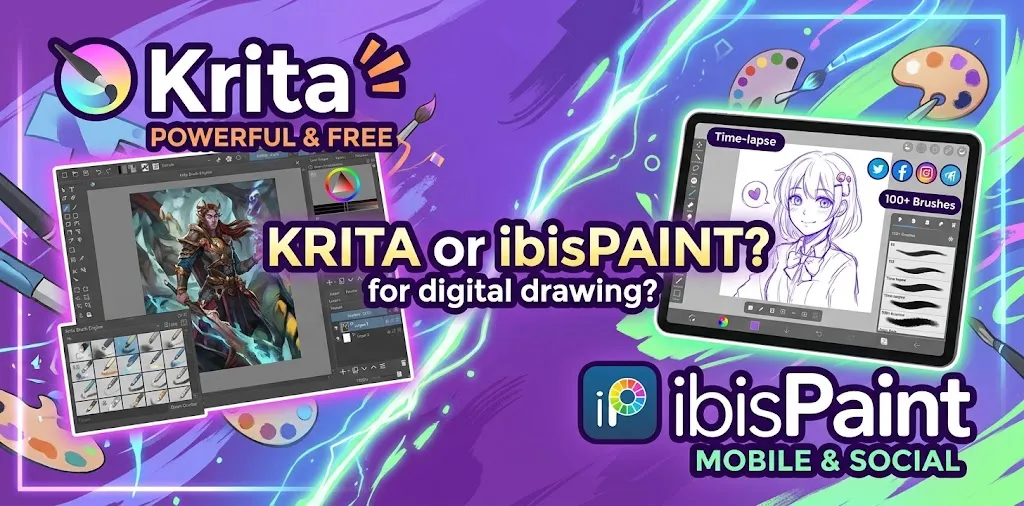
Choosing between Krita and ibisPaint can be confusing because both are capable digital drawing apps, but they are designed around different kinds of creative workflows. Krita is built primarily as a full-featured digital painting and illustration program, while ibisPaint puts strong emphasis on accessible drawing, manga, anime-style artwork, and mobile use. The better choice depends on your device, drawing style, experience level, and the tools you actually need.
Krita vs ibisPaint: Which Is Better for Digital Drawing?
For most artists who want a powerful free desktop drawing program, Krita is the better overall choice. It offers a professional painting workflow, advanced brush and layer tools, drawing assistants, animation features, and an open-source license without requiring a subscription.
ibisPaint is the better choice for artists who prioritize mobile drawing, simple access to brushes and manga tools, or moving artwork between phones, tablets, and computers. It supports Windows, Mac, iPhone, iPad, and Android devices.
The important difference is not simply which app has more features. It is which workflow feels right for the kind of art you want to make.
Krita and ibisPaint Compared
| Category | Krita | ibisPaint |
|---|---|---|
| Best suited for | Digital painting, illustration, concept art, comics, animation | Mobile drawing, manga, anime, illustration |
| Desktop experience | Excellent | Good |
| Mobile experience | More limited | Excellent |
| Free version | Fully free and open source | Free version available with paid upgrades |
| Brush customization | Extensive | Extensive |
| Layer tools | Advanced | Strong |
| Animation | Strong | Available |
| Drawing assistants | Advanced | Available |
| Cloud synchronization | Not its main focus | Strong cross-device feature |
| Beginner friendliness | Moderate | High |
| Professional painting workflow | Excellent | Good |
| Open-source | Yes | No |
| Best for long desktop sessions | Yes | Good |
| Best for drawing on a phone/tablet | Not its main strength | Yes |
What Makes Krita Different?
Krita is designed around digital painting and illustration rather than simply being a basic drawing app. Its feature set includes advanced layer management, drawing assistants, animation tools, and support for workflows such as illustration, comics, concept art, textures, and animation.
That makes it particularly attractive if you expect your digital art skills to become more advanced over time.
Krita’s Biggest Strengths
Krita has several advantages for serious digital drawing:
- Professional painting workflow: The interface and toolset are designed for artists who spend long periods creating artwork.
- Advanced layers: You can work with different layer types, groups, filters, and other organization tools.
- Drawing assistants: Perspective and shape assistance can help when working on buildings, environments, technical shapes, and other structured artwork.
- Animation tools: Krita supports frame-by-frame animation, including onion skinning and timeline controls.
- Open-source software: Krita is open source and can be used for personal, educational, and commercial work.
- No required subscription: The main Krita application is free and open source.
Krita also supports features that are useful for professional workflows, including CMYK color capabilities and HDR painting.
Where Krita Can Feel Difficult
Krita’s strength can also be its biggest weakness for beginners.
There are many tools, panels, brush settings, layer options, shortcuts, and workspace controls. Someone who simply wants to open an app and start drawing on a phone may find Krita more complicated than necessary.
For example, a beginner making simple character sketches may not need advanced layer management, animation controls, or perspective assistants. Learning those features takes time even though they can become valuable later.
What Makes ibisPaint Different?
ibisPaint is strongly associated with illustration, manga, anime-style artwork, and drawing on phones and tablets. It is available on Windows, Mac, iPhone, iPad, and Android devices.
Its biggest advantage is accessibility. If you already draw on an iPad, Android tablet, or smartphone, ibisPaint gives you a drawing-focused environment without requiring a traditional desktop setup.
ibisPaint’s Biggest Strengths
- Excellent mobile support: It works across iPhone, iPad, Android phones, and Android tablets.
- Easy access to drawing tools: The interface is designed around illustration and drawing rather than a broader desktop painting workflow.
- Manga-friendly workflow: It is especially popular with artists who create anime, manga, line art, and character illustrations.
- Cross-device workflow: Cloud storage can be used to move artwork between mobile devices and computers.
- Large feature set: Paid plans add additional filters, materials, fonts, vector tools, animation capabilities, and other advanced options.
ibisPaint is also available on Windows and Mac, so choosing it does not necessarily mean giving up desktop drawing.
Where ibisPaint Can Be Less Attractive
The main drawback is its pricing structure and the differences between free and paid features.
The free version provides access to core drawing functionality, but some advanced features and conveniences are part of paid upgrades or Premium Membership. That does not make ibisPaint a bad value. It simply means you should look at the features you actually need before deciding.
Which App Is Easier for Beginners?
ibisPaint is usually easier for a complete beginner who wants to draw quickly, especially on a phone or tablet.
Its focus is narrower, so a new artist can spend less time learning a large desktop application and more time practicing drawing.
Krita is also suitable for beginners, but it has a steeper learning curve. The extra tools can be helpful when you start learning digital painting, but they can initially make the interface feel overwhelming.
A simple way to think about it is:
- Want to start drawing immediately on a tablet or phone? Try ibisPaint.
- Want to learn a full desktop digital painting workflow? Try Krita.
- Want the simplest path for anime or manga sketches? ibisPaint may feel more comfortable.
- Want to eventually explore concept art, painting, comics, and animation? Krita has more room to grow.
Which Is Better for Anime and Manga Drawing?
Both programs can work well for anime and manga-style artwork, so the choice depends on your workflow.
ibisPaint has a strong appeal for artists who create character drawings, line art, manga panels, and anime-inspired illustrations on mobile devices. Its accessibility makes it especially convenient for artists who want to draw wherever they are.
Krita is a stronger choice when the project becomes more complex. Its layer system, drawing assistants, painting tools, and animation workflow can be useful for larger illustrations and comic projects.
For example, imagine you are drawing a single anime character during your commute. ibisPaint may be more convenient because your phone or tablet is already available.
Now imagine you are creating a detailed comic page with multiple layers, perspective work, shading, and several characters. Krita’s desktop-oriented workflow may become more useful.
Which Has Better Brushes?
There is no universal winner because brush quality depends heavily on the artist’s preferences.
Krita is particularly strong if you enjoy experimenting with brush engines and customizing the way brushes behave. It is built around digital painting, so artists who like creating textured, painterly artwork can take advantage of its deeper brush workflow.
ibisPaint also offers a large selection of drawing tools and brushes, and its mobile interface makes them easy to access while drawing.
For a beginner, the more important question is not “Which app has the most brushes?” It is “Can I find a brush that gives me the line or texture I need?”
For basic sketching, line art, coloring, and character work, either application can provide plenty of options.
Which Is Better for Digital Painting?
Krita has the stronger advantage for digital painting.
This is one of the clearest reasons to choose it. Krita’s development and feature set are centered heavily around painting and illustration.
If your goal is to learn techniques such as:
- Layered digital painting
- Brush-based rendering
- Lighting and shadows
- Environment painting
- Concept art
- Texture painting
- Detailed illustrations
Krita is likely the better long-term environment.
ibisPaint can certainly handle coloring and detailed artwork, but its biggest advantage is convenience and accessibility rather than providing the deepest desktop painting workflow.
Which Is Better for Drawing on an iPad or Android Tablet?
ibisPaint has the advantage for mobile and tablet-first artists.
ibisPaint supports iPhone, iPad, Android smartphones and tablets, as well as Windows and Mac.
This makes it a practical option if you move between devices.
Krita is primarily known for its desktop workflow. If your main device is an iPad or Android tablet, ibisPaint is generally the more natural choice.
For someone buying a drawing tablet specifically for digital art, however, the choice may change. A screenless or display drawing tablet connected to a Windows or Mac computer can pair very well with Krita.
Which Is Better for a Drawing Tablet?
If you use a traditional drawing tablet connected to a computer, Krita is an especially strong choice.
A desktop drawing setup gives you more screen space and makes Krita’s larger workspace easier to manage. You can use keyboard shortcuts, multiple panels, layers, and detailed brush controls without feeling as constrained by a small screen.
ibisPaint can also work with compatible computer setups and styluses.
The best option depends on your hardware:
| Your setup | Better starting choice |
|---|---|
| iPhone | ibisPaint |
| Android phone | ibisPaint |
| iPad | ibisPaint |
| Android tablet | ibisPaint |
| Windows PC + drawing tablet | Krita |
| Mac + drawing tablet | Krita |
| Windows touchscreen | Either |
| PC-based professional illustration setup | Krita |
Which Is More Affordable?
Krita has a major advantage if your priority is avoiding recurring software costs. The main application is free and open source, and artwork created with it can be used commercially.
ibisPaint uses a free version plus paid upgrades and Premium Membership options. Pricing varies depending on the platform and region.
The free version can be enough for casual drawing, while artists who need additional features may prefer a paid version.
Because pricing can change, check the current price for your specific platform before purchasing.
Krita vs ibisPaint for Professional Art
For professional illustration, concept art, comics, and extended desktop workflows, Krita is generally the stronger choice.
That does not mean ibisPaint cannot be used professionally. It can produce detailed artwork and offers advanced features. But Krita’s design is more closely aligned with a full desktop painting studio.
Krita also gives artists more freedom around software licensing. Its open-source model can be useful when the software becomes part of a professional production workflow.
For a professional artist, that can matter because the software becomes part of a larger production workflow rather than simply being a sketching tool.
Can You Use Both Krita and ibisPaint?
Yes, and this can actually be a useful workflow.
You do not have to treat the decision as permanent.
For example, a hypothetical artist might use ibisPaint on an iPad for quick sketches and character ideas, then use Krita on a desktop computer for detailed painting and finishing.
A two-app workflow makes the most sense when you own multiple devices and each application solves a different problem.
Which One Should You Choose?
Your best choice depends on what you draw and where you draw it.
Choose Krita if you:
- Mainly use Windows or Mac.
- Have a drawing tablet connected to your computer.
- Want a free professional-style painting application.
- Want advanced layer and brush controls.
- Are interested in concept art or digital painting.
- Want to explore animation.
- Prefer open-source software.
- Do not want to depend on a subscription.
Choose ibisPaint if you:
- Mainly draw on an iPad or Android tablet.
- Want to draw on a phone.
- Create anime or manga-style illustrations.
- Prefer a mobile-first interface.
- Want to move artwork between mobile devices and a computer.
- Want an easy starting point for digital drawing.
- Like having a large collection of illustration-focused tools available in one app.
What Should a Beginner Start With?
If you are completely new to digital art, start with the application that matches the device you already own.
A beginner with an iPad should probably try ibisPaint first. You can learn basic skills such as line control, layers, coloring, shading, and brush selection without buying a computer-based drawing setup.
A beginner with a Windows PC and a drawing tablet should consider Krita. It gives you a strong foundation for learning a desktop digital art workflow without requiring you to pay for the core application.
The software matters, but your drawing practice matters more. Switching between apps every few weeks will not improve your skills as much as consistently practicing anatomy, perspective, values, color, composition, and line control.
Final Verdict: Krita or ibisPaint for Digital Drawing?
Choose Krita if you want a powerful, free desktop painting program that can grow with you. Choose ibisPaint if you want an accessible drawing app with excellent mobile support, especially for anime, manga, and character art.
For a Windows or Mac artist using a drawing tablet, Krita is the stronger overall recommendation. For an iPad, Android tablet, or smartphone artist, ibisPaint is usually the more convenient starting point.
If you are unsure, try the free version of each on the device you plan to use. Spend a few days sketching the same type of artwork in both. The app that lets you draw comfortably without fighting the interface is probably the right one for you.
Frequently Asked Questions
Is Krita better than ibisPaint for beginners?
Krita is better for beginners who want to learn desktop digital painting, while ibisPaint is often easier for beginners drawing on phones and tablets. The better starting point depends more on your device and intended art style than on experience alone.
Is ibisPaint free like Krita?
ibisPaint has a free version, but some advanced features require paid upgrades or Premium Membership. Krita’s main application is free and open source, so it does not use the same subscription-based model.
Can ibisPaint and Krita be used for professional digital art?
Yes. Both can produce finished digital artwork, but Krita is better suited to a professional desktop painting workflow, while ibisPaint is particularly convenient for mobile illustration and manga-style work. Your device, workflow, and required features should determine which one you use.